
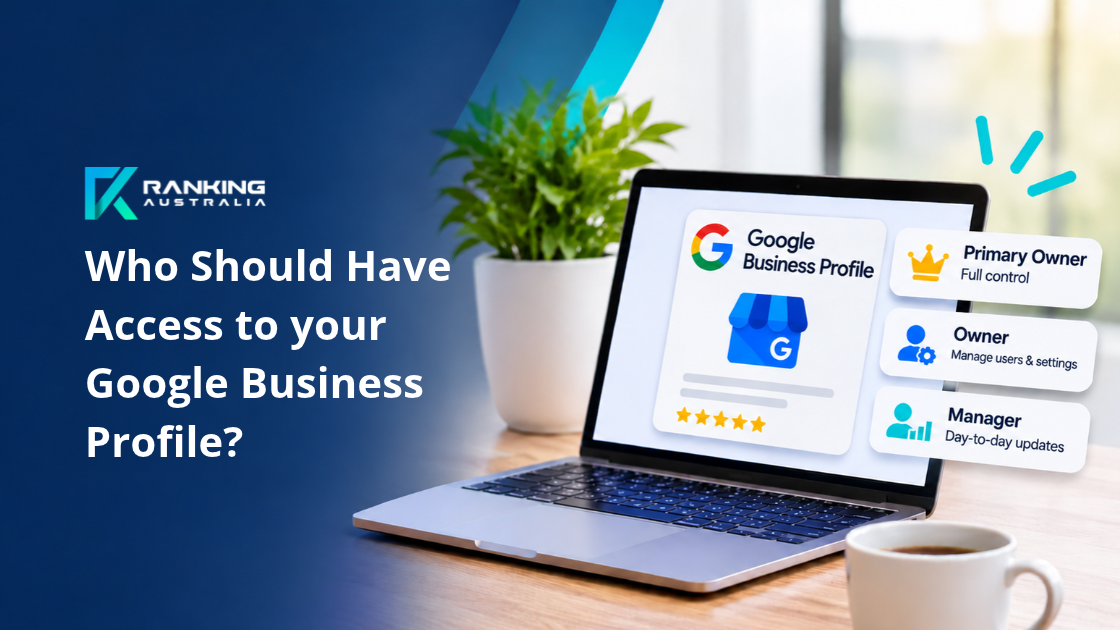
Google Business Profile Ownership: Who Should Have Access?
Google Business Profile ownership determines who controls your business listing, who can make changes and who has permission to manage other users.
If you have hired a marketing agency, changed business managers or opened another location, you may have encountered Google's different access levels.
Understanding these permissions is important. The wrong access arrangements can leave you unable to manage your listing, remove former employees or give your marketing team the permissions they need.
In this guide, we explain the three Google Business Profile roles, what each one can do and who should hold them.
Quick Answer: Who Should Own Your Google Business Profile?
Your business should retain Primary Ownership of its Google Business Profile.
Trusted administrators and authorised representatives may require Owner access when they are responsible for managing users and permissions.
Managers, including most SEO agencies, can handle everyday optimisation, business updates and customer engagement without Owner permissions.
For businesses with multiple branches, the correct permissions depend on who is responsible for managing the individual locations and who needs authority to add or remove users.
Understanding Google Business Profile Roles
Google Business Profile ownership is managed through three access levels.
- Primary Owner - The person or account with ultimate ownership responsibility.
- Owner - A trusted administrator with extensive profile management permissions.
- Manager - A user responsible for everyday business profile management and optimisation.
Each role has different responsibilities and permissions.
Choosing the right role helps protect your business information while allowing employees, branch managers and marketing agencies to complete their work.
1. Primary Owner: The Person Who Controls the Business Profile
Every Google Business Profile has one Primary Owner.
This is the highest level of ownership and should normally belong to the business owner, company director or an authorised representative of the business.
The Primary Owner has the administrative permissions available to an Owner, with the additional ability to transfer Primary Ownership.
What Can a Primary Owner Do?
- Manage business information, services and opening hours.
- Add and remove Owners and Managers.
- Change user access permissions.
- Respond to reviews and publish updates.
- Manage business locations.
- Transfer Primary Ownership to another eligible user.
- Perform profile administration and permitted removal actions.
Who Should Be the Primary Owner?
We recommend assigning Primary Ownership to a Google Account controlled by the business itself.
Ideally, this should be an account associated with the business owner, director or senior management.
Avoid assigning Primary Ownership to an external marketing agency, temporary employee or contractor.
Your business should retain ultimate control of its Google Business Profile, regardless of who provides your marketing services.
2. Owner: Administrative Access for Trusted Representatives
The Owner role provides extensive control over a Google Business Profile.
Owners can perform most of the same actions as the Primary Owner, including managing other users.
A Google Business Profile can have multiple Owners, but only one Primary Owner.
What Can an Owner Do?
- Add new Managers and Owners.
- Remove users who no longer require access.
- Change user access levels.
- Manage business information and locations.
- Update services, categories and business details.
- Respond to reviews and publish Google updates.
- Perform administrative actions that Managers cannot.
The main difference is that only the Primary Owner can transfer Primary Ownership.
Who Should Have Owner Access?
Owner permissions are appropriate for trusted people responsible for administering your business's online presence.
Examples include:
- A company director overseeing several branches.
- A head office administrator responsible for managing staff permissions.
- A senior operations manager coordinating multiple business locations.
- An authorised SEO agency specifically appointed to manage access and administration across multiple locations.
The important consideration is responsibility.
Someone with Owner access can change who manages your business listing. Only provide this permission when their responsibilities genuinely require it.
3. Manager: Access for Everyday Google Business Profile Management
The Manager role is suitable for people responsible for updating and maintaining your Google Business Profile.
Managers can complete most everyday profile management tasks.
What Can a Manager Do?
- Update business descriptions and services.
- Edit opening hours.
- Upload photos.
- Publish Google Business Profile updates.
- Respond to customer reviews.
- Update business categories and information.
- Manage location information.
- Review profile performance.
However, Managers cannot add or remove other users, change their permissions or remove the Business Profile.
Who Should Have Manager Access?
This role is ideal for branch managers, reception staff, marketing assistants and external SEO providers responsible for everyday optimisation.
For example, a medical clinic might give Manager access to its practice manager so they can update holiday opening hours and respond to customer enquiries in accordance with applicable privacy and advertising requirements.
The clinic owner would retain ownership and control over who can access the profile.
Google Business Profile Permissions Compared
The following comparison explains the key differences between Google Business Profile roles.
| Permission | Primary Owner | Owner | Manager |
|---|---|---|---|
| Edit business information | Yes | Yes | Yes |
| Respond to reviews | Yes | Yes | Yes |
| Publish Google updates | Yes | Yes | Yes |
| Manage photos and services | Yes | Yes | Yes |
| Add or remove users | Yes | Yes | No |
| Change user permissions | Yes | Yes | No |
| Transfer Primary Ownership | Yes | No | No |
For further information, visit Google's official guide to managing Google Business Profile Owners and Managers.
Why Owner Access Matters for Multi-Location and Branch Management
Managing one Google Business Profile is relatively straightforward.
Managing five, ten or twenty locations introduces additional responsibilities.
Each location may have different staff, opening hours, services and operational requirements.
You might also have employees joining or leaving the business, new branches opening or marketing providers responsible for different locations.
This is where Google Business Profile ownership becomes especially important.
Managing Staff Access Across Multiple Branches
Imagine you operate five allied health clinics across Brisbane.
Each clinic has a practice manager responsible for maintaining its Google Business Profile.
Your head office oversees the overall marketing strategy.
You also work with Ranking Australia to coordinate Google Business Profile optimisation and local search visibility.
A sensible access structure might look like this.
- Primary Owner: Business director or head office.
- Owner: Senior operations administrator.
- Manager: Individual practice managers for their respective locations.
- Manager: Ranking Australia for ongoing Google Business Profile optimisation.
This arrangement allows your marketing agency to maintain the listings while the business controls user access.
However, if Ranking Australia is also responsible for onboarding branch managers, removing former employees and coordinating access across locations, Manager permissions alone will not be sufficient.
Those activities require Owner-level permissions on the relevant profiles or appropriate ownership permissions within the Business Group.
When Does Your SEO Agency Need Owner Access?
Google generally recommends assigning external agencies the Manager role.
For standard SEO services, this is usually sufficient.
However, some businesses engage their SEO agency to provide more extensive administrative support.
When Owner Access May Be Appropriate
Owner access may be appropriate when the agency has been specifically authorised to:
- Add or remove branch managers from individual Google Business Profiles.
- Manage access permissions when employees join or leave.
- Coordinate ownership arrangements during business restructures.
- Assist with administrative ownership transfers.
- Establish appropriate access arrangements between authorised Business Groups.
- Oversee user permissions for multiple business locations.
In these circumstances, granting the agency Owner permissions may reduce the need for the business director to handle every access change personally.
Importantly, the business should remain the Primary Owner.
Owner access should also be documented, limited to the necessary profiles and reviewed regularly.
An agency does not need Owner access simply to improve your Google rankings.
Google Business Groups: Another Important Difference
If your business operates multiple locations, Google provides Business Groups to simplify management.
A Business Group allows several business locations to be managed together.
However, Google Business Group permissions are different from the permissions assigned to an individual Business Profile.
Business Group Owners
A Business Group Owner can manage access to the group.
This includes adding and removing group users, changing access permissions and transferring ownership of the group.
Business Group Managers
A Business Group Manager can manage the profiles within that group.
This includes adding, editing and deleting profiles within the group, subject to Google's applicable permissions.
However, they cannot add or remove other users from the Business Group.
This distinction matters when assigning responsibility for branch management.
A Manager may have extensive operational permissions across several locations without having the authority to administer the people accessing those locations.
Before changing permissions, establish whether the person needs access to an individual profile, an entire Business Group or both.
Learn more about Google Business Group Owners and Managers.
How to Check Who Owns Your Google Business Profile
Not sure who currently controls your listing?
You can review your Google Business Profile ownership in a few steps.
- Sign in to the Google Account used to manage your business.
- Search Google for your business name while signed in.
- Open your Business Profile management options.
- Select the three-dot menu labelled More.
- Choose Business Profile settings.
- Select People and access.
You should now see the users who have access to your profile and their assigned roles.
Check who is listed as Primary Owner, Owner and Manager.
If you cannot access or change user permissions, you may only have Manager-level access.
How to Give Your SEO Agency Access
If you want Ranking Australia to help manage your Google Business Profile, you do not need to share your Google password.
Instead, an existing Owner can invite our team using the People and access settings.
- Open People and access.
- Select Add.
- Enter the authorised Google Account email address.
- Choose the agreed permission level.
- Send the invitation.
For standard optimisation, select Manager.
If you require additional administrative support involving user permissions, discuss the scope of work with our team before granting Owner access.
Important: Google's Seven-Day Restriction
Google applies a seven-day restriction to some administrative actions for newly added Owners and Managers.
During this period, newly added users may be unable to remove other users, delete or restore a profile, or transfer Primary Ownership.
This is worth considering when changing marketing agencies, transferring business ownership or reorganising branch management.
What Happens When Your Marketing Agency Changes?
This is one of the most important reasons to understand Google Business Profile ownership.
Your business should never lose control of its Google listing because you decide to change marketing providers.
When you finish working with an agency, an authorised Owner should review the access permissions and remove users who no longer need access.
If your previous agency is the Primary Owner, arrange for Primary Ownership to be transferred to your business.
Google requires third-party providers to respect ownership requests and maintain appropriate transparency with their clients.
What If You Cannot Access Your Business Profile?
If an agency or former employee controls your listing and you cannot access it, you may need to complete Google's ownership request process.
Avoid creating a duplicate Google Business Profile simply because you cannot access the original.
A duplicate can complicate verification and profile management.
Ranking Australia provides Google Business Listing Recovery Services for businesses experiencing access, ownership and verification issues.
How Ranking Australia Supports Google Business Profile Management
At Ranking Australia, we help Australian businesses manage their Google Business Profiles with a focus on transparency, accountability and measurable search visibility.
Our Brisbane-based team supports business owners with profile verification, ownership recovery, local SEO, Google Business Profile optimisation and multi-location management.
We understand that business owners need practical support without giving up control of their digital assets.
For everyday optimisation, manager permissions is fine.
'Owner' permissions will be sought to ensure smooth management of the profile, reduce noise of having to respond to multiple approvals in support requests, and adding our team members in to optimise.
Where your business requires more extensive branch administration, we can help establish an appropriate ownership and management structure.
Our approach is collaborative. We explain what access is required, why it matters and how to maintain control of your business information.
Your Success is Our Success.
We Speak Google.
Frequently Asked Questions About Google Business Profile Ownership
Can a Google Business Profile Have More Than One Owner?
Yes. A Google Business Profile can have multiple Owners but only one designated Primary Owner.
Can a Manager Remove an Owner?
No. Managers cannot remove Owners or other Managers.
Only users with the appropriate Owner permissions can manage user access.
Does My SEO Agency Need Owner Access?
Usually not.
Manager access supports most Google Business Profile optimisation activities.
Owner access becomes relevant when your agency has been authorised to manage users, coordinate ownership changes or undertake specific administrative responsibilities.
Does Owner Access Improve Google Rankings?
No. Assigning someone the Owner role does not directly improve your Google rankings.
Search visibility depends on factors including relevance, distance and prominence.
The benefit of appropriate ownership permissions is better administration, security and accountability.
What if My Previous Marketing Agency Owns My Google Business Profile?
Start by requesting that the agency transfer Primary Ownership to your business.
If this is unsuccessful, you can follow Google's formal ownership request process.
Where ownership is disputed or access has been lost, professional assistance may help you navigate the recovery process.
Need Help With Your Google Business Profile Ownership?
Whether you manage one business location or multiple branches, getting your Google Business Profile ownership structure right is an important part of protecting your online presence.
If you're unsure who owns your listing, have lost access or need help coordinating Google Business Profiles across multiple locations, Ranking Australia can help.
Our Google Business Profile services include ownership and access reviews, verification support, listing recovery and ongoing local SEO management.
Talk to our Google SEO Experts about your business's requirements.
Or call 1300 762 496
Your Success is Our Success.
We Speak Google.

